
In the demo
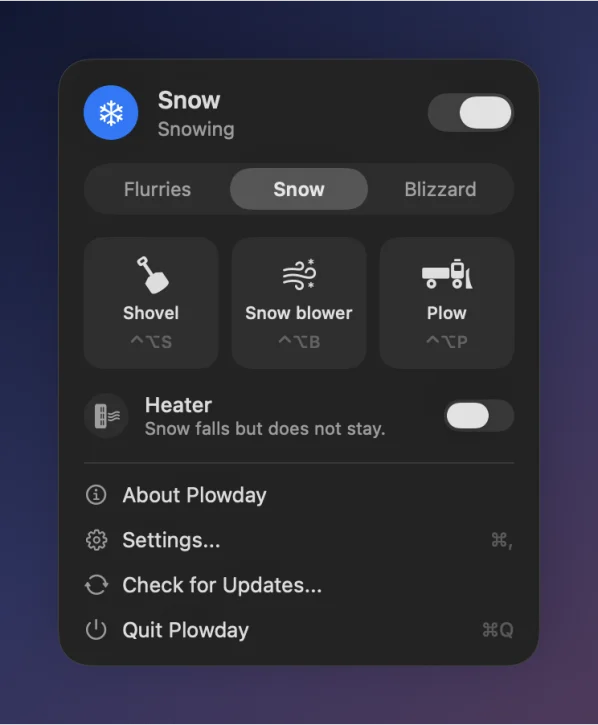
Shovel ⌃⌥S
Scoop a pile and throw it. One scoop at a time.
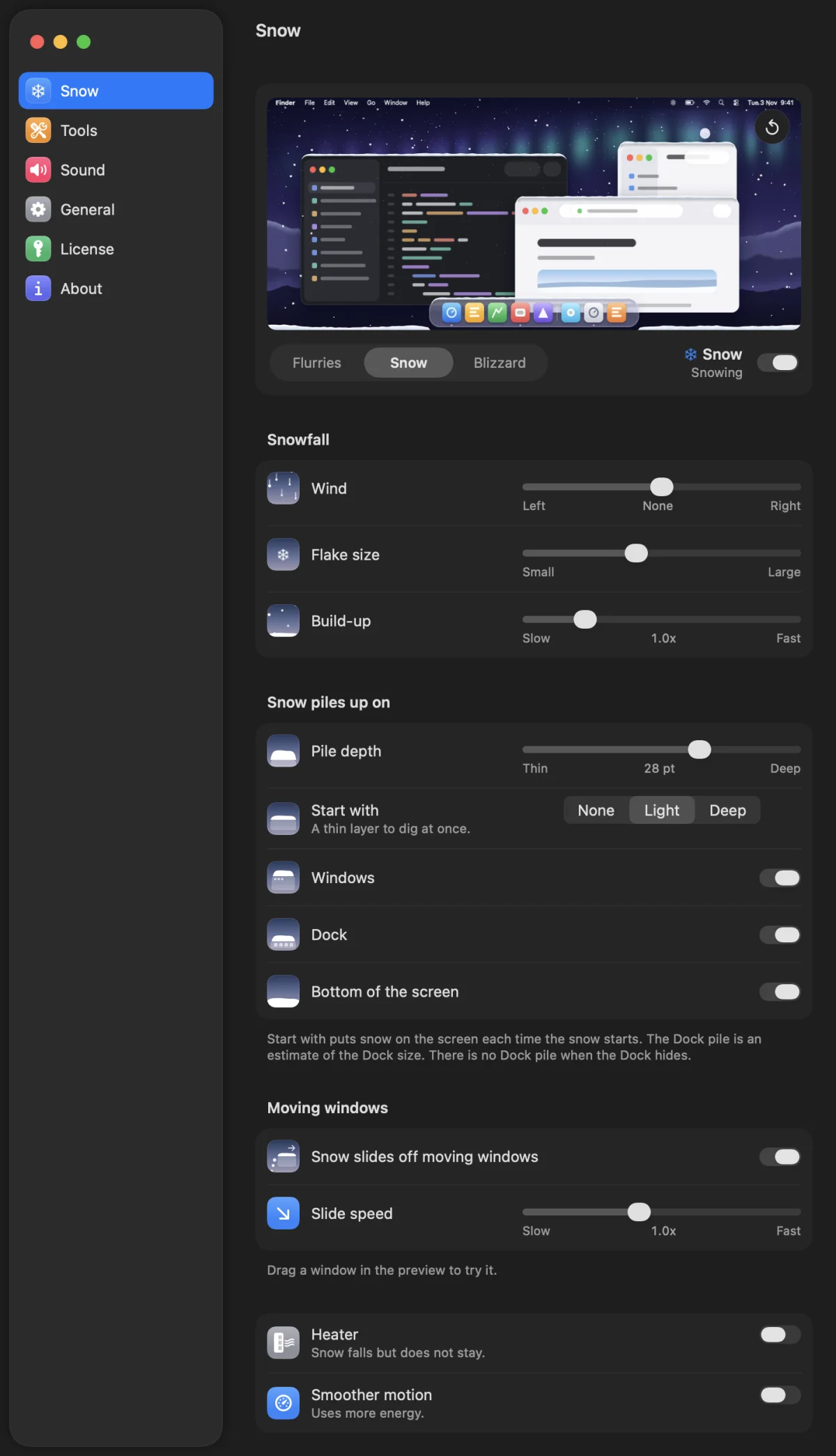
Snow falls on your Mac desktop and piles up on the windows and the Dock. You set the weather, and the live preview shows it at once. Then the shovel, the snow blower and the plow dig out.
Three tools. Each one clears snow in its own way. A tool goes away after 45 seconds without input.
Scoop a pile and throw it. One scoop at a time.

Hold the mouse on a pile. The chute throws the snow in an arc. Point the chute at the glass and the snow splats on the screen. Scroll to turn the chute.

Steer the plow along your windows and the Dock. An orange winter-service truck pushes the berm in front of it and off the edge of the screen.
A snowman is hidden in the app.
Snow melts where it lands. No tool, no truck.
Each window carries its own pile. Move the window and the pile falls off the edge.

No permissions to grant. Plowday reads only window positions.

The demo snows one fixed amount. The full version has these controls. Flurries, Snow or Blizzard, with a live preview of each change. Wind, flake size and pile depth. Start with snow, Build-up and the slide-off speed. Choose where the snow piles up: windows, the Dock, the bottom of the screen. Each tool has a shortcut.
One license key unlocks every tool and every setting. The demo is a free download.
We are preparing your license key.
This key covers 1 Mac. We also sent it to your email. Open in Plowday fills in the key, then you click Activate. No Plowday yet? Download it, it is one app and the key unlocks it. Or open Settings, then License, and paste the key.
5 CHFfor 1 Mac, one license key
How many Macs?
Plain text, no links. Your receipt has a copy of the key, just in case.
Free
Click a locked tool and Plowday says you need a license key.
macOS 27. Apple silicon only.
One-time purchase. No account, no subscription, no analytics.